
aikon YouTube Video Background
Stream a beautiful full-sized video background directly from YouTube
Stream a beautiful full-sized video background directly from YouTube


If you have purchased the extension and for some reason regret it, we offer a 30 day money back guarantee.
This, ladies and gentlemen, is the future of web design! Time to ditch the old sliders and galleries and start giving your visitors a real user experience. With aikon YouTube Video Background, you can stream any video directly from YouTube and place it on your website either as a background or as a section.





The aikon YouTube Video Background module runs on streaming technology which means ZERO loading time for a full-size scaled video. Just insert your text, shadows, images, titles and even modules (any module) and style right on the video section as an overlay. Define video width and height and set up a control bar for your visitors to use with pause, play, mute and more.
The module runs on 2 modes:
1) Full-fixed website background.
2) Full-width scrolled strip to set as a intro, header, footer or other section on your website.
Take a step further into the future of web design with aikon YouTube Background Video!
12 months of FREE support and product updatesaikon YouTube Video Background ('Video Background' henceforth) allows you to insert and display a YouTube section on your website, or to have the entire background of your website transformed into a cool video display!
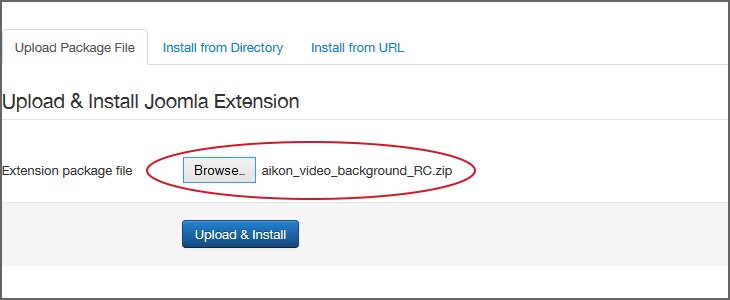
This is a standard Joomla! Module. To install it you will need to log into your admin interface and select the Extension Manager under the 'Extensions' tab in your top menu (assuming you are using a standard admin interface). Once you're inside, click on the 'Upload Package File' tab (it may already be selected for you), and drag the packaged zip file into the 'Browse' button, or click on the 'Browse' button and select it. Finally, click on the 'Upload & Install' button and you're ready to go.
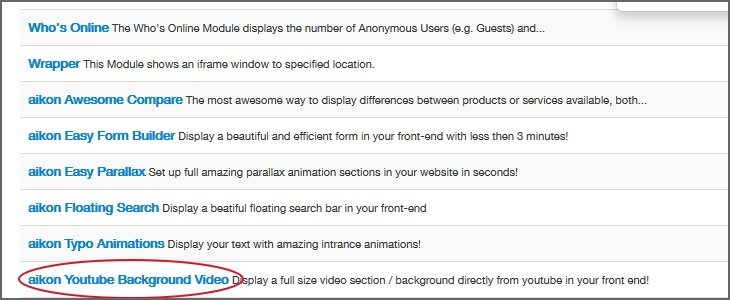
The module will now be available from the Module Manager found under the 'Extensions' tab in the top menu of the admin interface. An initial module will be created for you, and you can create additional modules by clicking on the 'New' button. Select the modules you have already made in order to configure them. Don't forget to publish them in the correct positioning and on the right pages.
Modules can also be included inside an article. If you'd like to do that, here is some info directly from the Joomla! Documentation portal: http://docs.joomla.org/How_do_you_put_a_module_inside_an_article%3F.
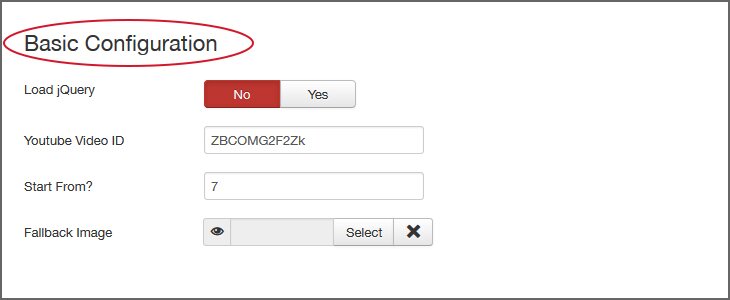
First thing is first! Insert inside the 'Basic Configuration' field (located under the first tab) your YouTube video ID (hover over the field label for further explanation). Then, select/upload a fallback image for mobile devices. You can also select the specific second you east the video to start - you don't have to start from the beginning of the video!
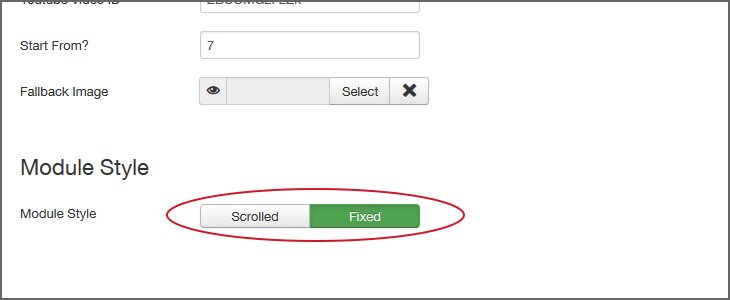
Next, select the basic module style configuration: 'Scrolled' or 'Fixed'. Scrolled will make the module act like a block which displays a video and the fixed will make it use the video as your site's background
If you choose the scrolled style, you can configure the following options:
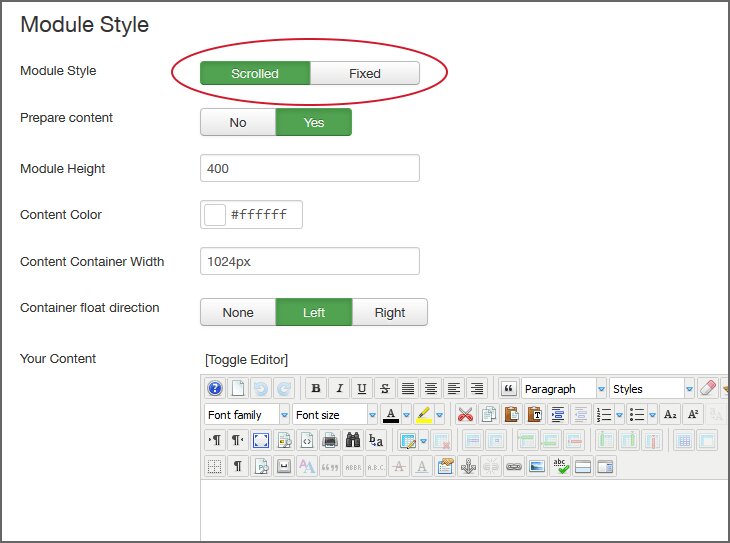
Please notice: the 'Content Prepare' option allows you to have Joomla! run all its content plugins on top of the content. Therefore, you can use this option to add additional modules inside the display.
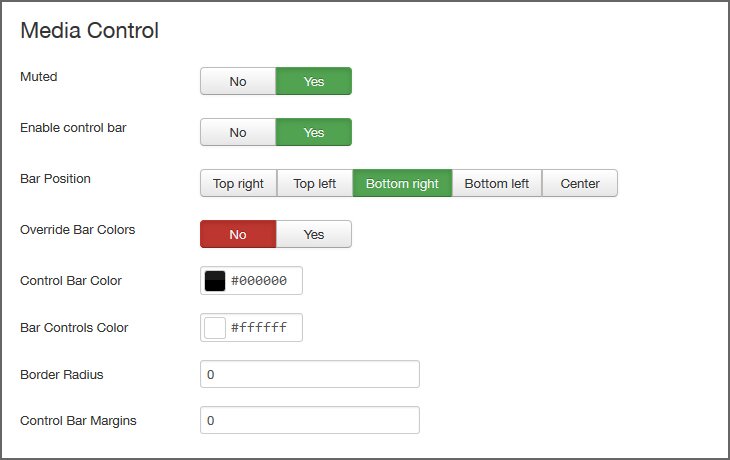
Under 'Media Control' you can select if the video should be muted and if it should automatically repeat itself. In addition, you can enable a control bar that will allow your users to change these settings and pause the video if they want to. To do this just turn 'Enable Control Bar' on (by swiping on 'Yes') and you will get new options!
You can also set the control bar's position, margins from the edges of the display and, if you want, switch 'Override Bar Colors' on in order to override its default colors using the appropriate fields – enabling it to easily fit (without any code) into your template!
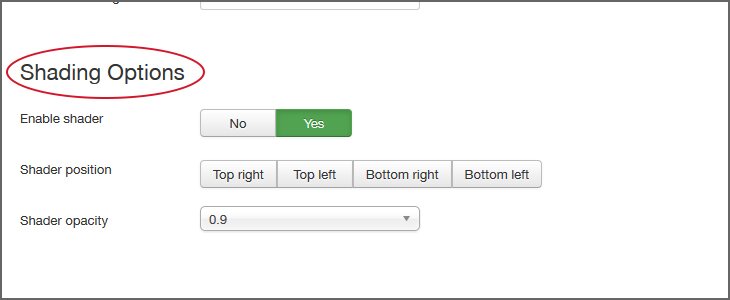
Finally, you can enable a shader by turning 'Enable Shader' on.
The shader is in a highly responsive shade overlay for the display which adds a nice visual touch to your template. After turning it on, you can also select its position and opacity.
Heads up: Video Background requires jQuery to function. If you are encountering any problems, please make sure the module is published correctly, and then try switching on 'Load jQuery' (click on 'Yes'). This will make the extension load its own jQuery.
If your new module still isn't working properly, we strongly recommend you follow our troubleshooting tips below.
The module may not work for various reasons. These can all be easily resolved.
The most common reasons are improper configuration of general module information or parameters, and/or a jQuery issue.
Solving jQuery Issues:
Most extensions require a jQuery plugin. Many of them include added features that enable users to leverage jQuery to the fullest. The only problem is that users often upload jQuery themselves, and by doing so they overwrite the extended version of jQuery, thus preventing the extension from working properly.
The best solution is to make sure only one instance of jQuery is loaded. One way of doing that is to manually check that jQuery is NOT loaded via the form template but by Joomla! only. We also suggest you download a free plugin which can help you handle this issue. It's called jQuery Easy, and it's available here: http://extensions.joomla.org/extensions/core-enhancements/performance/jquery-scripts/18327.
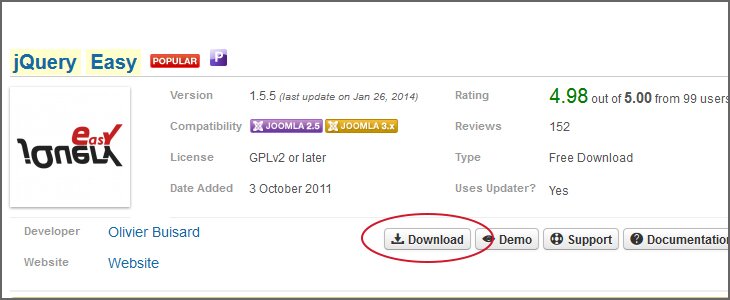
Pease notice: we are NOT responsible for any damage that may be caused by using the jQuery Easy plugin. The plugin needs to installed, enabled and configured manually.
The recommended settings for this plugin are: under the 'Basic Site Options' select 'Enable jQuery field jQuery' or 'JQuery+jQuery UI (select one of them, according to your specific needs). Under version select 1.8 and you're ready to go










Insert your own text or modules right here, set up control bars, shaders and much more advanced options!
Mobile DetectionWrite ContentsControl BarsOut Of The BoxEasy CustomizationInsert Modules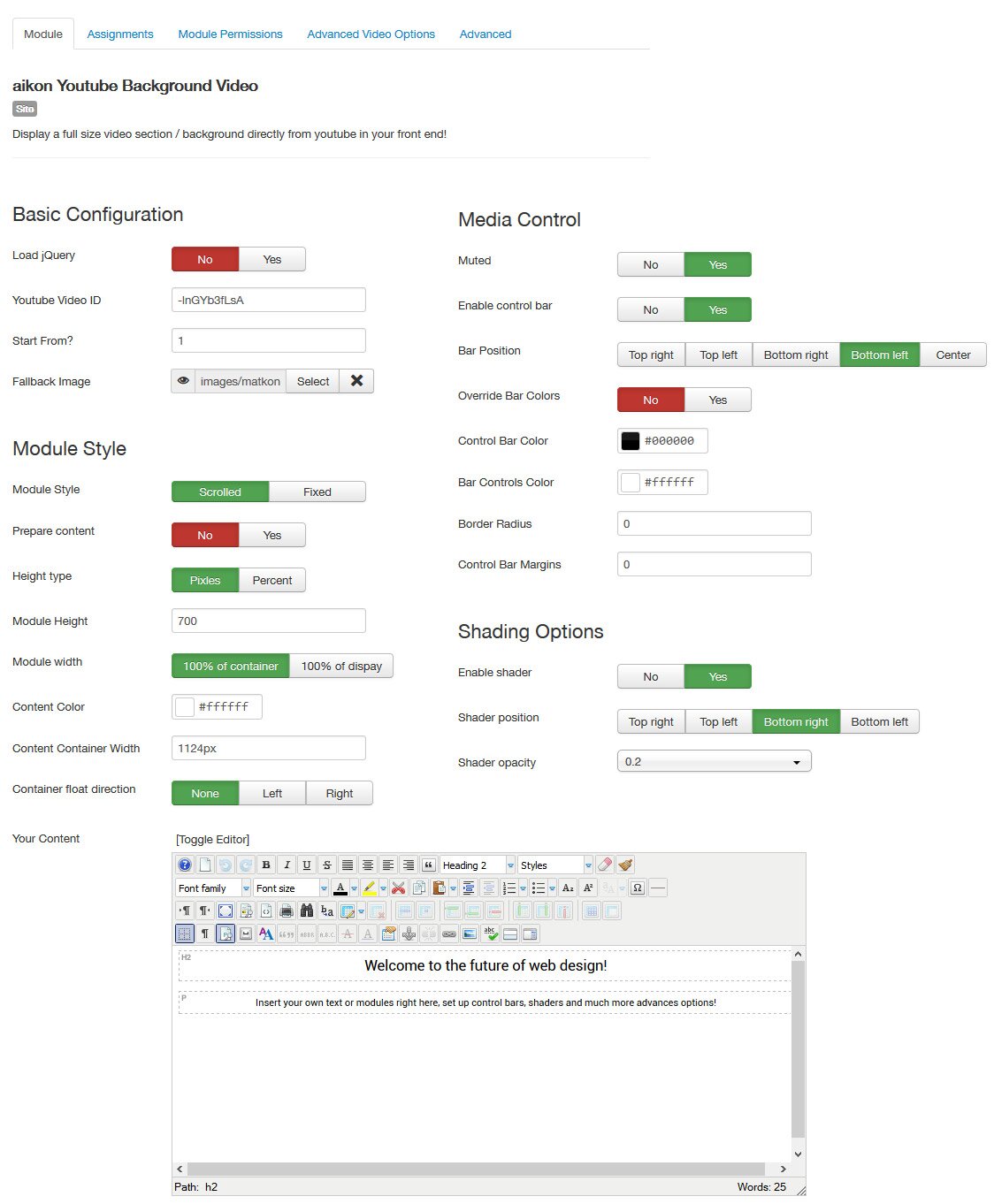

 2.5 + 3.X

 2.5 + 3.X

 2.5 + 3.X

 2.5 + 3.X
Copyrights © 2014 aikon. All rights reserved. Please read our Terms of Service and Privacy Policy.
aikon CMS is not affiliated with or endorsed by Open Source Matters or the Joomla! Project and / or any other open source projects.
The Joomla! logo is used under a limited license granted by Open Source Matters, the trademark holder in the United States and other countries.

 2.5 + 3.X

